

The concept of Priority Streams emerged from the need to simplify the process of bringing remote presenters on air. As many Internet radio stations lack a physical studio, presenters often broadcast from their own homes, requiring direct integration into the station’s automation system. Traditional methods, such as using remote URLs with Icecast or Shoutcast servers, often lead to issues like failed connections, buffering delays, and the need for constant manual intervention. Priority Streams solve these problems by providing a continuous monitoring system that ensures remote presenters can connect and broadcast without disrupting the flow of the station’s programming.
Challenges with Remote URLs
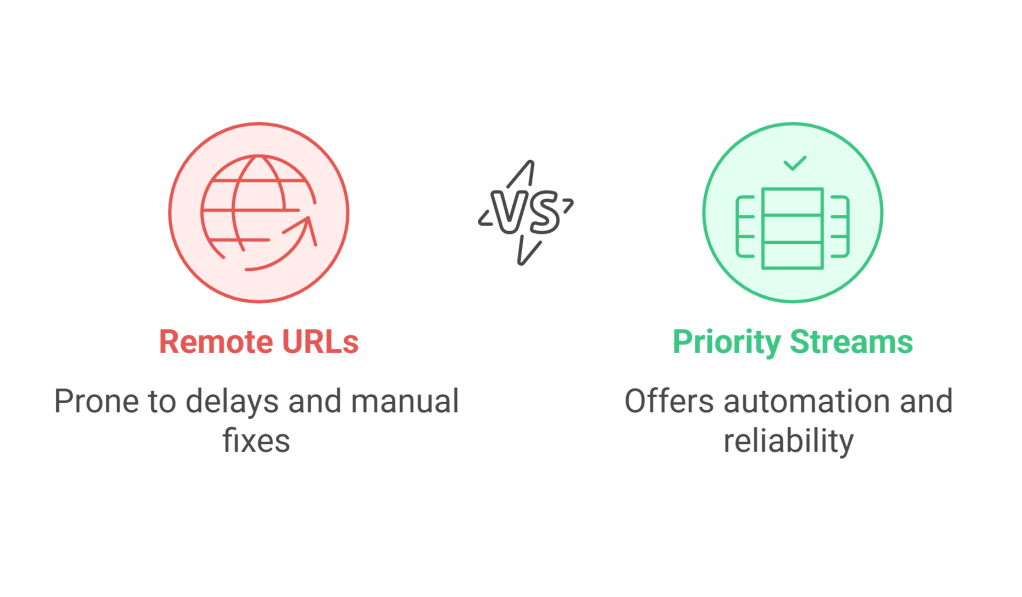
Remote URLs have been widely used to allow presenters to broadcast from remote locations, but they come with a host of challenges. A common issue arises when presenters are late to connect, causing PlayIt Live to move to the next track without retrying automatically. Doing so would introduce additional dead air waiting for the connection. Disconnections due to internet outages also require manual steps to bring the presenter back online. Another concern is the risk of dead air if a presenter’s audio setup fails, as the system doesn’t automatically detect and address this.
How Priority Streams Work
Priority Streams operate by offering two connection options: direct streams using usernames and passwords or remote URLs that are continuously monitored. When using direct streams, the built-in Icecast server in PlayIt Live handles connections, eliminating the need for external server setups. Each presenter’s credentials are managed centrally within the PlayIt Live database, which can also be used for other features like Remote Voice Tracking and Remote Studio access. Remote URL connections, on the other hand, are backwards-compatible with traditional methods but include enhanced monitoring to detect when the stream is live and ready to go on air.
Priority Stream States and Automation
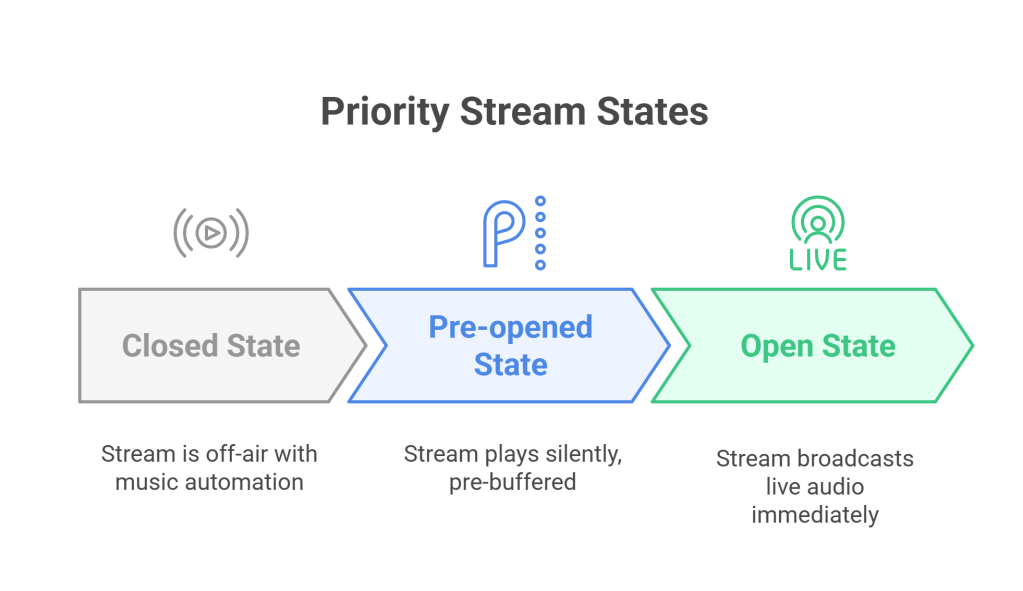
The functionality of Priority Streams is built around three states: Open, Pre-opened, and Closed. The Open state brings the stream on air immediately (provided it is active), broadcasting the presenter’s audio live. In the Pre-opened state, the stream plays silently in the background, pre-buffered and ready to switch to live when needed. This avoids any buffering delays when transitioning. The Closed state ensures the stream remains off-air, with regular music automation taking over. Stations can manage these states manually or automate them through scheduled events, allowing for a hands-free approach to live broadcasting.
Benefits Over Remote URLs
Switching to Priority Streams brings a host of advantages over Remote URLs. Stations no longer need to juggle multiple Remote URL items in the playout log to account for late connections or dropouts. Instead, Priority Streams continuously monitors connection status and responds dynamically, ensuring presenters are brought on air when active and transitioning to playout automation when inactive. The built-in Icecast server simplifies setup by eliminating external server requirements, while pre-buffering ensures that any switch to live audio is immediate and delay-free. This approach significantly reduces the operational burden on station staff.
Example Scenarios
Scheduled Show with On-Time Presenter
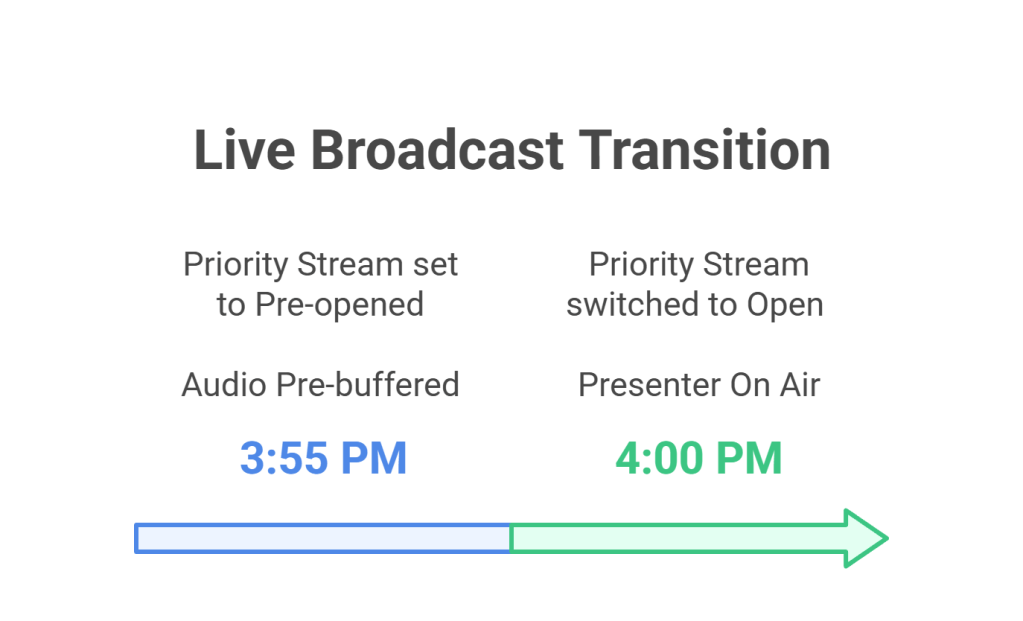
Imagine a presenter scheduled to go live at 4pm. At 3:55pm, a scheduled event sets the Priority Stream to Pre-opened, allowing it to buffer silently in the background. At precisely 4pm, another scheduled event switches the Priority Stream to the Open state, bringing the presenter’s live audio on-air without any delays or interruptions. This makes sure there is a smooth and professional broadcast experience for listeners.
Late Presenter
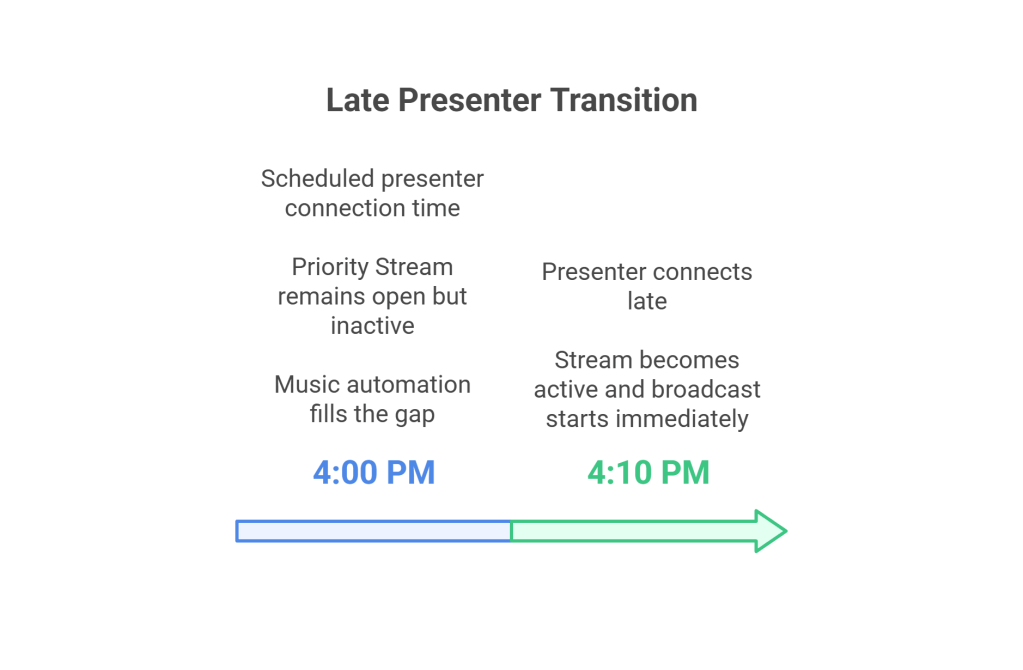
If a presenter scheduled for 4pm connects late at 4:10pm, the Priority Stream remains in the Open state but remains inactive, as there is no live audio. During this time, regular music automation continues to play, making sure there is no disruption for the audience. The moment the presenter connects, the stream becomes active, and their broadcast starts immediately.
Presenter Disconnects Mid-Show
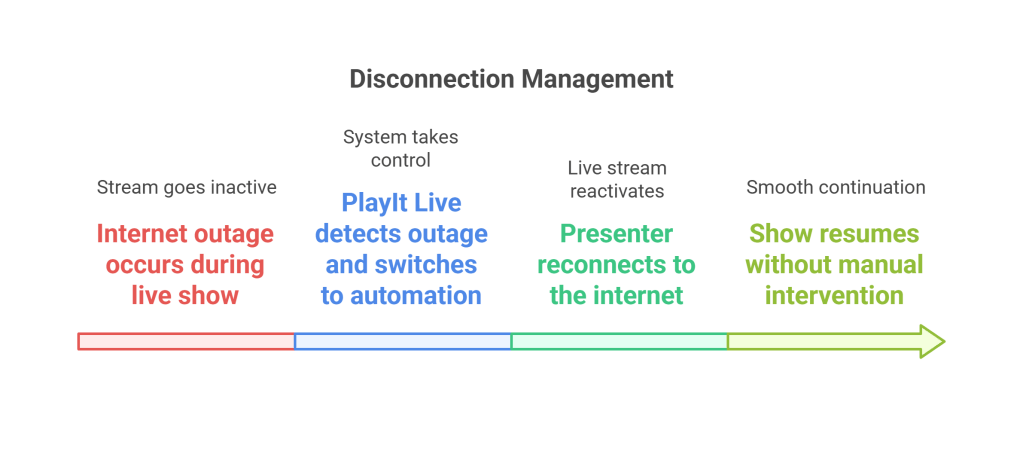
During a live show, the presenter might experience an internet outage, causing the stream to go inactive. PlayIt Live instantly detects this and switches to regular automation, avoiding any dead air. Once the presenter reconnects, the system reactivates the live stream, allowing the presenter to resume their show without additional manual intervention.
Getting Started with Priority Streams
Getting started with Priority Streams in PlayIt Live is straightforward. First, go to Manage -> Priority Streams and configure either a user or a remote URL for your stream. If you opt for a user, the built-in Icecast server manages the connection, to simplify the setup process. For those using remote URLs, Priority Streams provide backwards compatibility while introducing continuous monitoring for active connections.
Using Scheduled Event Actions, you can manage the stream’s state (Open, Pre-opened, or Closed) to suit your schedule. For example, set a stream to Pre-opened shortly before a live show to buffer it silently. Then, switch it to Open when the presenter is ready to go live. If the stream disconnects or becomes inactive, the system automatically reverts to music automation, so there is no interruption for your listeners.
The Priority Streams feature comes with the Advanced Scheduling module in PlayIt Live. Give it a try today and see how it can revolutionise your live broadcasting experience.
 The Heart of Radio Tech
Leave a comment